
Installation guide (Global / TW / CN)
Follow the guide for your platform below, then continue with First Time Setup.
Windows
DANGER
Playing on Global after 2025/11/11? Follow the Japanese guide instead, pointing the installer at the global install location (make sure to select Steam version)!
Only follow this section if your game version hasn't updated yet.
- Download the latest
hachimi_installer.exefrom the Releases page. - Run it and click on Install. No need to modify any of the options if you don't know what they mean.
Manual install
TIP
Only add the file extensions (.exe, .dll) when you rename if you see them on the original file names. If you don't, it means Windows is set to hide them, and your rename will end with .exe.exe, breaking the game. Does not apply to folders.
- Download the latest
hachimi.dllfrom the Releases page and put it in the game's install directory. - Rename it to
winhttp.dll,version.dlloropengl32.dll.
Android
WARNING
Hachimi cannot be used with these versions without root.
Reminder that Global on Android is not supported.
DANGER
Since 2025/11/11, the Hachimi version linked below will likely fail. Use the file from the latest Edge release instead. Support state is currently uncertain.
Zygisk
Download the latest Zygisk zip from the Releases page and install it with Magisk or KernelSU (with Zygisk Next).
First Time Setup
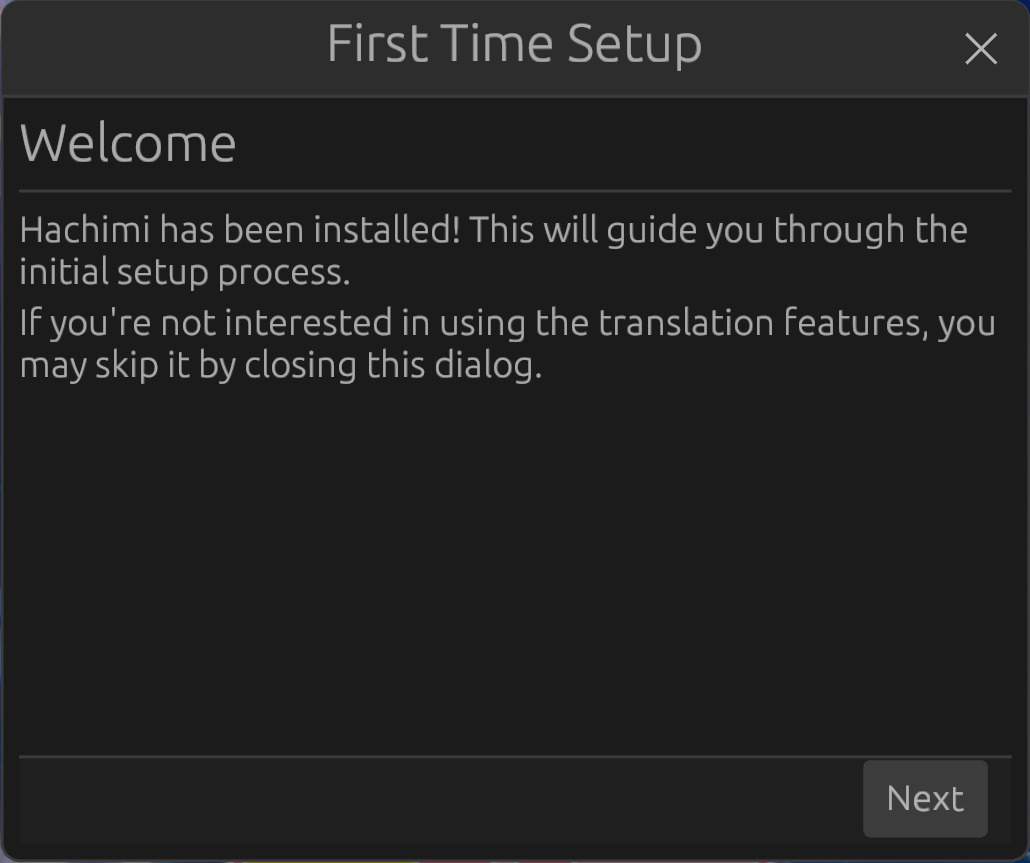
Upon launching the game for the first time after installing Hachimi, you should be greeted with this dialog:
INFO
If you don't see it, it means that Hachimi has not been installed correctly. Please read the install guide carefully and try again, or look at Troubleshooting.
⚠️ Close this dialog to forego translations. Using translations on an officially localized version is not supported at this time and will cause various issues.
TIP
If you have accidentally applied translations anyway, you can disable translations in Config Editor > Gameplay, then restart the game.